

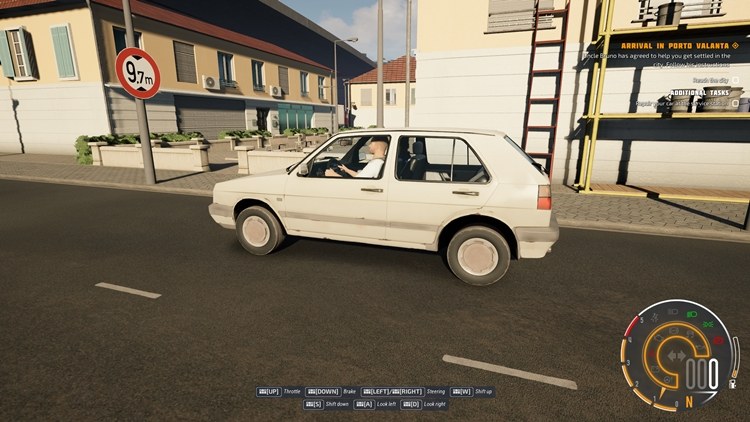
The long-awaited moment has arrived — CCD2.0 has launched in Early Access. As a simulation game addict, I bought it and got the chance to try it out two days later. Compared to the first game, it runs much more stably and looks visually promising.
In a city called Porto Valanta, the game kicks off with a tutorial where Uncle Bruno teaches you the city and the traffic rules, followed by an ongoing story that gives the game an enjoyable atmosphere. We start the game with an old car that resembles classic Russian cars. Driving from outside the city toward the city, we go through quite important in-game points one by one, like the car wash, repair shop, and gas station. Afterward, we arrive at the garage.
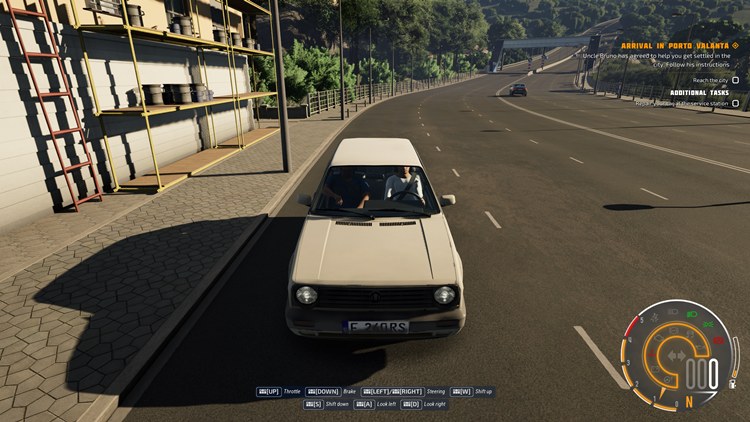
At the garage, after being introduced to the phone — which we’ll use for many features throughout the game — the missions and story series begin.
Visually, the game is comparable to today’s games. Especially having tested a game called Roads Kings in Beta, I can say that this one is truly satisfying graphically. I didn’t experience a single stutter or fps drop disrupting the smoothness during my 1-hour playtime.
The cutscene transitions are presented in a cartoon-like style. The voice acting is quite good. A story element suits a simulation game well, but the priority is still vehicle physics and the open world. The map is small, but I’m sure it will be expanded in the future. The vehicle physics, on the other hand, are well-matched to road sensitivity. I genuinely felt like I was driving a real car.
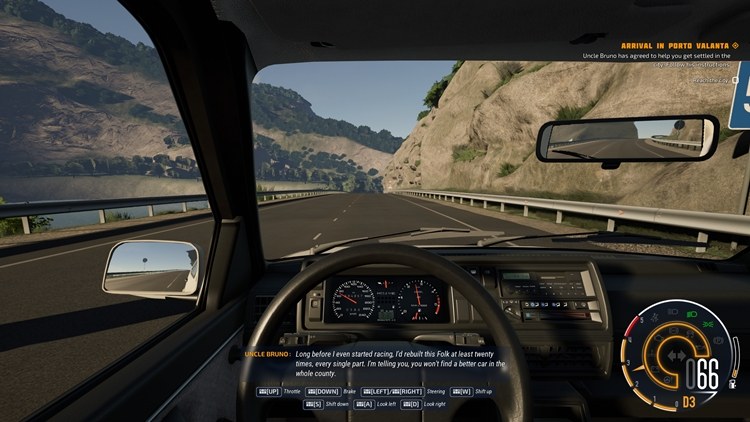
Since it’s a traffic simulation, unlike other genres, we can already use the seatbelt, traffic rules, and many of the vehicle’s functions. I’ve only tested it with a keyboard so far, but I’ll soon be testing it with a Logitech G29 steering wheel set. Even with a keyboard, it’s quite good.
In my first 1-hour experience, the detail that caught my eye negatively was the pedestrians. They’re copies of each other and there are too many of them. There are pedestrians even in places where there shouldn’t be any. When vehicles collide, the AI can behave inconsistently. Fuel runs out fast 🙂
We’ll soon witness much greater improvements, and buying CCD2.0 was a good investment — both to show support and for the enjoyment.
CCD2.0 mod support hasn’t arrived yet. Once mod support is added, you’ll be able to download car mods based on real-world brands on our site.
What Languages Are Available?
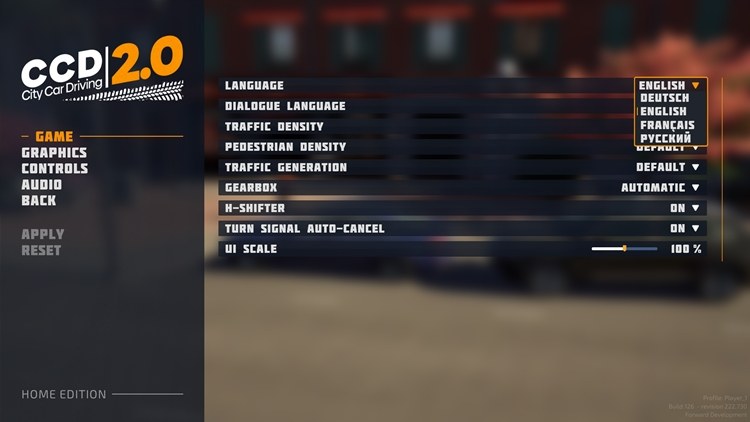
When I checked the settings screen, there’s German, French, English, and Russian.
How Is the Steering Sensitivity?
Compared to the first game, the steering sensitivity has been significantly improved.
How Many Camera Angles Are There?
Interior, hood, front view, rear view, and top-down camera.
How Does the Car Move in Automatic Transmission?
The car is started with the “E” key. When you shift into D1 with the “W” key, if the handbrake isn’t engaged, the car moves forward. The “R” gear is engaged with the “S” key, moving the car backward. If you’re in D1-D2-D3, etc., pressing “S” will first shift to “N,” then to “R.”
How Do You Shift Into Park?
To shift into “P,” you can press “S” once more while in “R” gear.
What Are the Steps to Start the Car?
- First, put on the seatbelt with “G.”
- Start the engine with the “E” key.
- Release the handbrake with the “B” key.
- Shift into forward or reverse with the “W” and “S” keys, and drive the car using the direction keys.
What Does Sandbox Mode Do?
Sandbox Mode is a free-roam game mode where you can drive the available cars however you like. Before starting, you can choose various settings, including the weather, road, starting location, vehicle, vehicle color, and transmission type, and then begin driving immediately.

Is there mod support?
Mod support is not available yet, but it is expected to be added soon.